
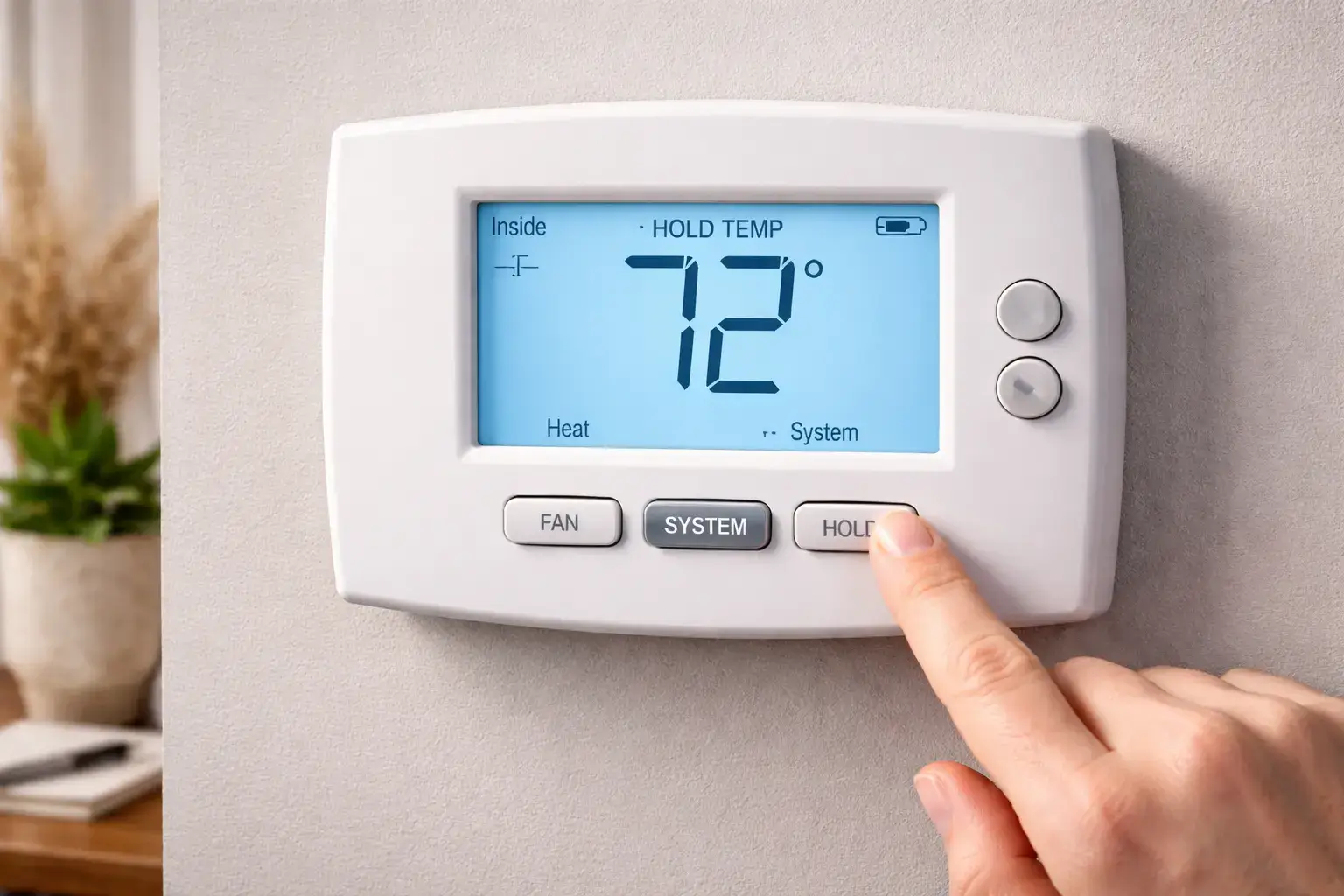
On a thermostat, the Hold setting means the system will stay at a chosen temperature instead of following its normal programmed schedule. In simple terms, it tells the thermostat to pause automatic temperature changes and maintain one setting until the hold ends or is manually removed. Many homeowners notice this feature but are not always sure when to use it or whether it affects energy costs. The answer depends on how long the hold lasts, what temperature is selected, and whether the home would otherwise be running on a schedule. Understanding how Hold works can help you stay comfortable, avoid unnecessary temperature swings, and use your heating and cooling system more intentionally during travel, weather changes, or shifts in your daily routine.
Understanding the Hold Setting on a Thermostat
The Hold setting is designed to temporarily or continuously override the programmed schedule in your thermostat. Normally, a programmable or smart thermostat changes the temperature automatically based on the times you have entered, such as lowering it at night or adjusting it when you leave for work. When Hold is activated, those scheduled changes stop for a period of time, and the thermostat keeps the home at the temperature you selected. That makes Hold useful when your plans change and the normal schedule no longer matches what is happening in the home. Instead of editing the full program, you can quickly keep the indoor temperature steady until you are ready to return to normal settings.
This feature is especially helpful when comfort needs change for a day or two, such as during a cold snap, a heat wave, a holiday, or unexpected time at home. It can also be useful when you are troubleshooting comfort issues and want to see how the system behaves at a fixed setting. If the indoor temperature still feels uneven or the system does not respond correctly, the problem may not be the thermostat at all. In some cases, underlying airflow or equipment concerns become more noticeable when temperature settings stay fixed, which is why a whole-system inspection may be helpful when Hold does not seem to work as expected.
What Does the Hold Button Actually Do?
The Hold button tells the thermostat to stop following the programmed schedule and maintain one selected temperature until you change it. That does not mean the HVAC system runs nonstop. It simply means the thermostat continues using the chosen setpoint as its target, turning heating or cooling on and off as needed to maintain that temperature. For example, if your weekday program normally lowers the temperature while you are out, using Hold prevents that scheduled setback from happening. This is why homeowners often see the system behave differently after activating Hold, even though the thermostat itself is working normally. The key change is not in how the equipment cycles, but in which temperature target the thermostat is instructed to maintain.
- It overrides the programmed schedule.
- It keeps one chosen temperature in place.
- It can be temporary or ongoing, depending on the thermostat model.
- It does not force constant system operation.
- It usually stays active until the timer ends or Hold is canceled.
Why Homeowners Use Hold Instead of the Regular Schedule
Homeowners use Hold when daily life stops matching the thermostat program they normally rely on. A schedule works best when mornings, work hours, evenings, and sleep times follow a predictable pattern, but that is not always realistic. Someone may stay home sick, work remotely, leave for a weekend trip, host guests, or simply want more stable comfort for a few days. In those situations, Hold is easier than reprogramming the schedule from scratch. It provides quick control without permanently changing your normal setup. Hold can also be practical during weather extremes, when repeated scheduled changes may feel less comfortable than maintaining a consistent indoor setting. The feature is mainly about convenience, flexibility, and keeping comfort aligned with real-life conditions.
How to Use the Hold Function on Your Thermostat
Using the Hold function is usually simple, although the exact steps depend on whether you have a basic programmable thermostat or a newer smart model. In most cases, you start by setting the temperature you want, then selecting Hold on the display or within the thermostat menu. Once activated, the thermostat should show that the schedule has been overridden. Some models label this as Hold, Permanent Hold, Temp Hold, or Vacation mode. The feature is designed for convenience, so homeowners can make a quick adjustment without rewriting the full weekly program every time their routine changes. It is one of the easiest tools for maintaining short-term comfort when your regular schedule no longer fits the day.
It is still a good idea to verify how your specific thermostat handles Hold, because some systems automatically return to the schedule after a set period while others stay locked on the chosen setting until you manually cancel it. That difference matters when you are trying to manage comfort and energy use efficiently. If your system does not seem to respond correctly after using Hold, or the temperature displayed does not match how the home feels, the issue may involve calibration, wiring, or HVAC performance. At that point, a cooling system check can help determine whether the thermostat setting is the real cause of the problem.
Temporary Hold vs. Permanent Hold
Temporary Hold usually means the thermostat will maintain your selected temperature for a limited amount of time and then return to the programmed schedule automatically. This is helpful when you only need to override the schedule for part of the day. For example, if you come home earlier than usual or want the house slightly warmer overnight, Temporary Hold allows that change without affecting the next day’s routine. It is often the better option when you want flexibility but still want the thermostat to resume its normal schedule on its own.
Permanent Hold, by contrast, keeps the chosen temperature in place until someone turns the setting off manually. This can be helpful during vacations, extended weather events, or periods when your household routine is changing for several days at a time. Instead of worrying about when the program will resume, Permanent Hold keeps the thermostat fixed where you want it. That makes it straightforward, but it also means you need to remember to remove the setting later if you want the regular schedule back in control.
The main difference between the two comes down to duration and control. Temporary Hold is better for short-term schedule overrides, while Permanent Hold is better when you want a consistent indoor temperature for an open-ended period. Homeowners who do not realize which one they selected may think their thermostat is malfunctioning when it is actually doing exactly what it was told to do. Understanding this distinction can prevent confusion, especially when the home feels warmer or cooler than expected after several hours or days have passed.
How to Turn Hold On and Off
Turning Hold on and off is usually a simple process, but the wording may vary from one thermostat to another. On many models, you first adjust the target temperature, then tap a Hold or Set Hold button to keep that setting in place. To remove it, you may press Run, Resume Schedule, Cancel Hold, or a similar command that tells the thermostat to start following the programmed schedule again. The most important thing is to confirm what the display says after each step. If Hold remains active, the schedule will continue to stay paused even if the HVAC system itself is running normally.
- Set your preferred temperature first.
- Select Hold, Temp Hold, or Permanent Hold.
- Check the screen for confirmation that Hold is active.
- When ready, press Run or Resume Schedule.
- Confirm that the programmed schedule is back on.
Does Hold Affect Comfort and Energy Use?
Yes, Hold can affect both comfort and energy use because it changes how long the thermostat stays at one temperature instead of shifting throughout the day. From a comfort standpoint, Hold can make the home feel more stable because it prevents scheduled setbacks that may otherwise leave rooms feeling too warm or too cool at certain hours. This can be especially useful when weather is extreme or when more people than usual are spending time at home. A steady setting can reduce those noticeable swings that sometimes happen when a programmed schedule changes temperature too aggressively for the household’s actual routine.
Energy use depends on the temperature you choose and how long Hold stays active. If you keep the home cooler in winter or warmer in summer than your normal schedule would allow, energy consumption may go down. But if Hold keeps the home at a comfort setting all day when the schedule would normally ease back, energy use may rise. In other words, Hold itself is not wasteful or efficient on its own; the result depends on how you use it. If the home still struggles to stay comfortable even with reasonable settings, a heating performance review may reveal system issues affecting both comfort and efficiency.
How Long Does Thermostat Hold Last?
How long a thermostat Hold lasts depends on the thermostat model and the type of Hold you selected. A Temporary Hold may last only until the next scheduled temperature change, for a few hours, or until a specific time you choose on the screen. A Permanent Hold usually stays active until you manually cancel it by pressing Run, Resume, or another schedule command. Smart thermostats may also offer custom durations or app-based controls that make it easier to manage the setting remotely. Because there is no single rule that applies to every thermostat, the best way to know for sure is to check the display wording or the user settings. If Hold seems to last longer than expected, it may simply be the type of override currently selected.
What Mode Should Your Thermostat Be In When Using Hold?
Your thermostat should be in the mode that matches the kind of comfort control you need at that moment. If the weather is cold and the home needs warmth, Hold should be used while the thermostat is in Heat mode. If the weather is hot and you are trying to cool the home, it should be in Cool mode. In homes with automatic changeover, Auto mode may allow the thermostat to switch between heating and cooling as needed, but that depends on system design and local weather conditions. Hold does not replace the operating mode. It only tells the thermostat what temperature to maintain while the selected mode handles whether heating or cooling should turn on.
This is why a thermostat can show Hold and still fail to deliver the comfort you expect if the wrong operating mode is selected. For example, holding a low temperature while the thermostat remains in Heat mode will not cool the house. Likewise, a winter comfort setting will not help if the thermostat is set to Cool. Homeowners sometimes interpret this as a thermostat failure when it is really a mode mismatch. If changing modes and settings still does not solve the issue, regular upkeep such as a seasonal AC tune-up can help ensure the system responds properly when thermostat commands change.
When a Thermostat Hold Problem Means You Need Professional Help
A thermostat Hold issue may require professional help when the setting appears to be active but the HVAC system does not respond correctly, the temperature reading seems inaccurate, or the home never reaches the selected setpoint. In those cases, the thermostat may not be the real problem. Wiring issues, sensor problems, airflow restrictions, dirty filters, weak system performance, or aging equipment can all create symptoms that seem related to Hold. If the display works normally but comfort does not improve, it is worth looking beyond thermostat settings and considering whether the heating or cooling equipment is operating efficiently and safely.
Professional help is also a good idea when Hold repeatedly resets on its own, the schedule will not resume, or the system short cycles after a thermostat change. These symptoms can point to deeper control or equipment issues that require diagnosis rather than guesswork. Homeowners often spend too much time trying to solve these problems through thermostat menus alone when the underlying issue is mechanical. If the system is older and reliability has become a recurring concern, it may also be time to review replacement solutions instead of continuing to troubleshoot the same comfort problem over and over.